Free & Open Source · Windows / macOS / Linux

The All-in-One Manager
for AI Coding Tools

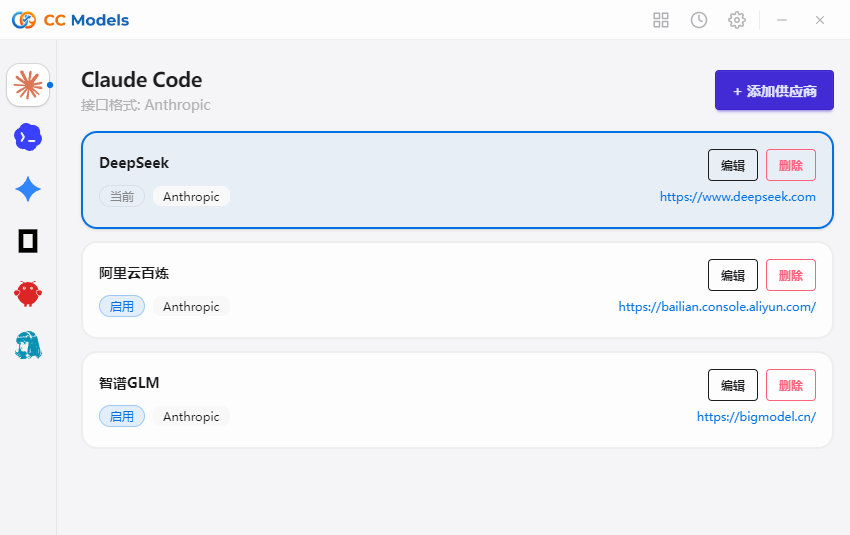
CC Models is a cross-platform desktop app that manages Claude Code, Codex, Gemini CLI, OpenCode, and OpenClaw. 50+ built-in provider presets, one-click switching — no more manual config editing.
50+
Built-in Provider Presets
5
CLI Tools Supported
3
Platforms Covered
CC Models Dashboard

Why Choose CC Models?

Stop editing config files manually. Manage all your AI coding tools from one visual interface.

🌐

One App, Five Tools

Manage Claude Code, Codex, Gemini CLI, OpenCode, and OpenClaw from a single unified interface.

No Manual Config

50+ built-in provider presets (AWS Bedrock, NVIDIA NIM, etc.) with visual selection and one-click switching.

🔧

Unified MCP & Skills

One panel for all MCP servers and Skills with cross-app bidirectional sync and one-click installation.

📊

Usage & Cost Tracking

Dashboard with spending, requests, and token trend charts. Custom per-model pricing and detailed logs.

Cloud Sync

Sync provider configs across devices via Dropbox, OneDrive, iCloud, WebDAV, or custom directories.

🎨

Beautiful UI

Dark / Light / System themes, system tray quick-switch, auto-launch, and auto-updater built in.

Powerful Features, One Platform

From provider management to usage tracking, CC Models has you covered

Smart Dashboard

An intuitive dashboard showing all key metrics — spending, requests, token usage, and trend charts. Real-time updates as filters change.
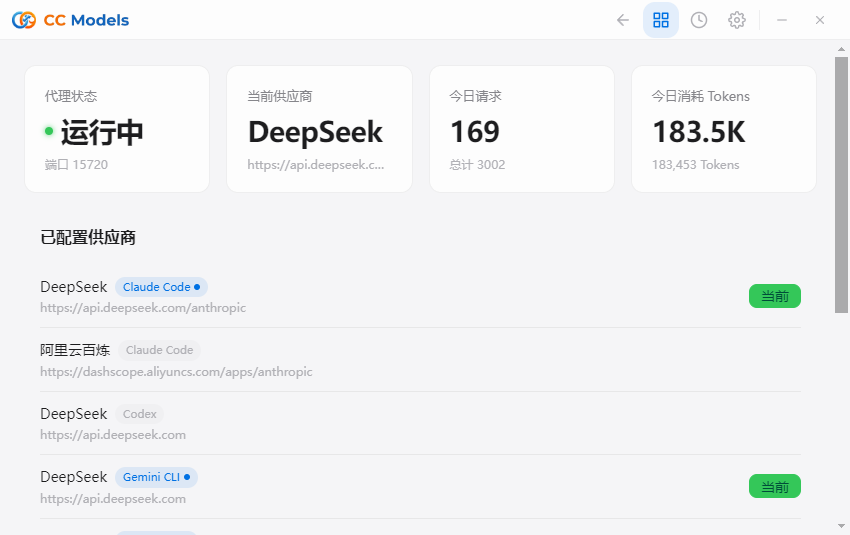
  • Cache-normalized token counts and hit rate
  • Custom per-model pricing
  • Detailed request logs and trend analysis
CC Models Dashboard

Session History

Browse, search, and restore conversation history across all apps. Filter by date, project, or keyword — never lose important conversations again.
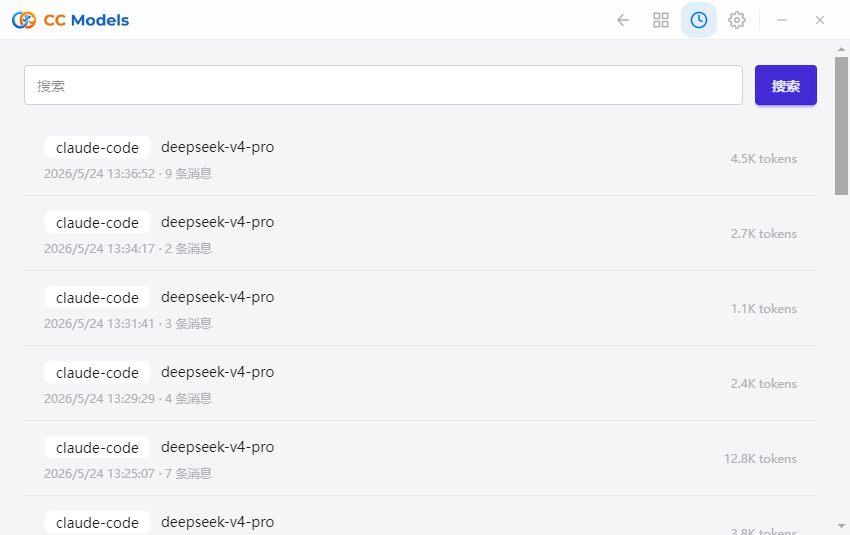
  • Cross-app unified session browsing
  • Full-text search and filtering
  • One-click conversation restore
CC Models History

Conversation Details

Dive into the full details of each conversation — including every message, token consumption, and cost breakdown.
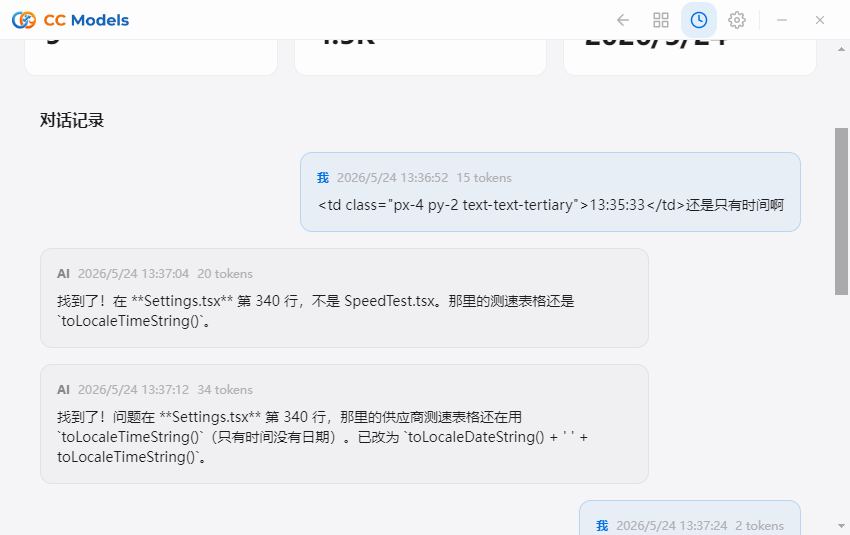
  • Per-message detail view
  • Token consumption breakdown
  • Per-request cost tracking
CC Models History Details

Provider Speed Test

Test API provider response times and latency with one click. Compare results to choose the fastest service for your needs.
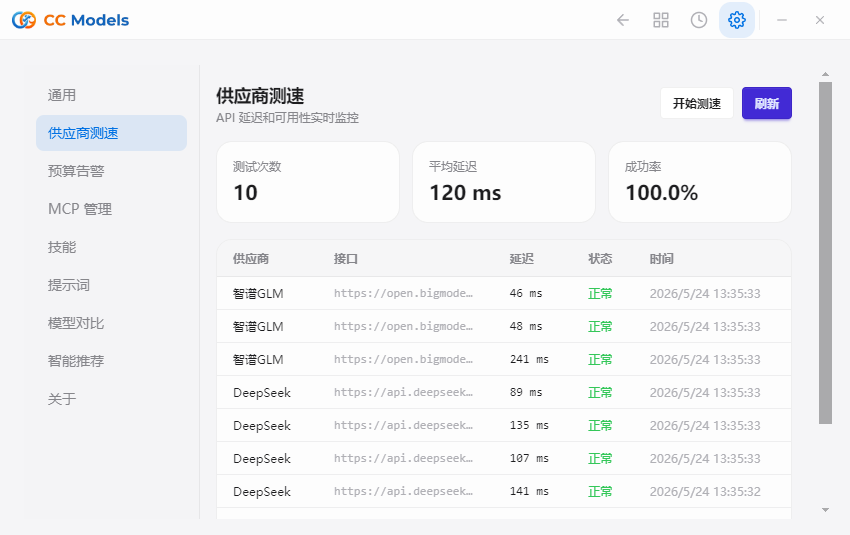
  • Multi-provider parallel testing
  • Latency and throughput comparison
  • Visual ranking of test results
CC Models Speed Test

Flexible Configuration

Global settings management — proxy gateway, cloud sync, themes, auto-updates, and more. Atomic writes and auto-backups keep your data safe.
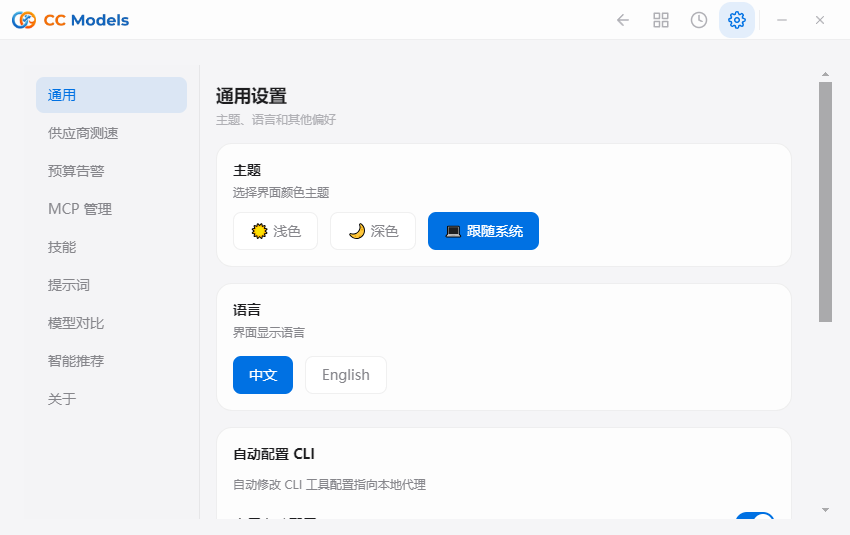
  • Local proxy gateway settings
  • Multi-platform cloud sync
  • Dark / Light / System themes
CC Models Settings

Get Started in 4 Steps

From install to provider switching in minutes

1

Download & Install

Download the installer for your platform — Windows, macOS, or Linux.

2

Add Provider

Click "Add Provider", choose a preset or create a custom config, and paste your API key.

3

One-Click Switch

Select the target provider and click "Enable". Or switch instantly from the system tray menu.

4

Start Coding

Restart your terminal or CLI tool to apply (Claude Code supports hot-switching without restart).

Beautiful User Interface

An intuitive interface that makes complex configuration simple

Dashboard
Smart Dashboard — Usage at a glance
History
Session History — Unified cross-app management
Speed Test
Speed Test — Find the fastest provider
Settings
Settings — Fine-grained control

Choose Your Platform

CC Models is completely free and open source. Available on all major platforms.

💻

Windows

Windows 10+ · MSI / Portable

Download for Windows
🖥

macOS

macOS 12+ · DMG / Homebrew

Download for macOS
🐧

Linux

Ubuntu 22.04+ · deb / AppImage

Download for Linux

Frequently Asked Questions

Which CLI tools does CC Models support?
CC Models supports five major AI coding CLI tools: Claude Code, Codex (OpenAI), Gemini CLI, OpenCode, and OpenClaw (including Hermes Agent).
Do I need to restart after switching providers?
Most CLI tools require a terminal restart after switching providers. However, Claude Code supports hot-switching — no restart is needed.
Is CC Models free?
Yes, CC Models is completely free and open source. Any website asking for payment, top-ups, or login credentials is fraudulent. Only download from official channels.
Where is my data stored?
All data is stored locally in ~/.cc-models/, including the SQLite database, settings, backups (keeps 10 most recent), and Skills files. You can sync across devices via cloud sync.
How do I switch back to the official login?
Add an "Official Login" provider preset in CC Models, switch to it, then restart your CLI tool and follow the official login / OAuth flow.
What cloud sync options are available?
CC Models supports Dropbox, OneDrive, iCloud, WebDAV, NAS, and custom config directories for cloud sync across devices.

Ready to Supercharge Your AI Coding?

Download CC Models for free and start managing all your AI coding tools in one place

Download CC Models Free
